

Every new hire ready on day one
Track every onboarding task and document for every new hire on one board, with an owner and a due date for each, and keep the new hire informed as things get done.
- One board, all hires
- Documents verified
- New hire notified

Why it matters
A first week that feels organised, because it is
One board for every new hire's tasks and documents, so nobody starts without a laptop, a login or a contract. Every task has an owner and a due date, and every document is checked before day one.
One board, every hire
See every onboarding task across all new hires, with owner, due date and status.
Documents, verified
Collect contracts, IDs, bank and tax documents and mark each one verified.
New hires kept in the loop
Every task change notifies the new hire in the app, and by email when it's set up.
01Tasks
Every task has an owner and a date
Give each task to a team or a person, set a due date and move it from pending to in progress to done. The board shows everything that's still open across every new hire, so nothing waits for someone to remember it.
- Tasks owned by a team or a named person
- Pending, in progress and done, with reopen
- Every status change enforced by the server
- One view of every open task across all hires
02Checklists
Your onboarding playbook, written down
Keep a checklist register for each department or role with the tasks and owners that always apply, so every manager runs onboarding the same way. Set your probation period and decide whether documents are mandatory.
- Checklists by department or role, with owners
- Active and inactive checklists as your process changes
- Probation periods of 30, 60, 90 or 180 days
- Your own list of document types
- Day 1
Laptop, email and repository access
Owner: IT
- Day 1
Contract and policy sign-off
Owner: HR
- Week 1
Meet your buddy and team
Owner: Line manager
- Day 30
30-day check-in
Owner: Line manager
03Documents
Paperwork collected and checked
Track every document a new hire owes you, from ID and contract to bank and tax forms. Each moves from pending to submitted to verified, so you always know what's missing before payroll needs it.
- ID, contract, certificate, bank, tax and your own types
- Pending, submitted and verified statuses
- Documents can be made mandatory
- Kept with the employee's record
Submitted
1 item
Signed contract
Sent for signature
Pending
1 item
Bank details form
Needed before payroll
Plan your next new hire's first week.
Free for 24 hours
How it works
From setup to done, step by step
Set it up once with our team. After that, it runs every day on its own.
- 1
Write your checklists
Set up the tasks and owners that apply to each department or role.
- 2
Add the new hire's tasks
Create their tasks with owners and due dates on the onboarding board.
- 3
Work through the board
Owners start, complete or reopen tasks, and the new hire is notified each time.
- 4
Verify the paperwork
Collect each document and mark it verified before payroll needs it.
Nexa AI
Ask Nexa what's still open before Monday
Nexa reads the onboarding board for you, finds what's overdue and prepares the updates, then asks before changing anything.
See how the Nexa agent works“What's still open for the new hires starting Monday?”
6 tasks are open for 2 new hires, including Leo Martins' bank details form and signed contract.
“Mark the IT tasks for Aisha Khan as done.”
Found 3 IT tasks for Aisha Khan. Ready to mark them done once you confirm; she'll be notified.
“Which documents haven't been verified this month?”
5 documents from 3 new hires are submitted but not verified yet. Links are below.
Everything included
Every detail of onboarding, covered
- One task board
- Every new hire's tasks in one place.
- Team or person owners
- Give tasks to IT, HR, Facilities or a named colleague.
- Enforced statuses
- Pending, in progress, done and reopen, checked by the server.
- In-app notifications
- The new hire hears about every task update.
- Email too
- When outgoing email is set up, updates go by email as well.
- Checklist register
- Standard tasks by department or role.
- Document tracking
- Pending, submitted, verified.
- Probation periods
- 30, 60, 90 or 180 days.
- Role permissions
- Menus and pages follow each role's access.
One platform
Onboarding isn't all Nexa People does
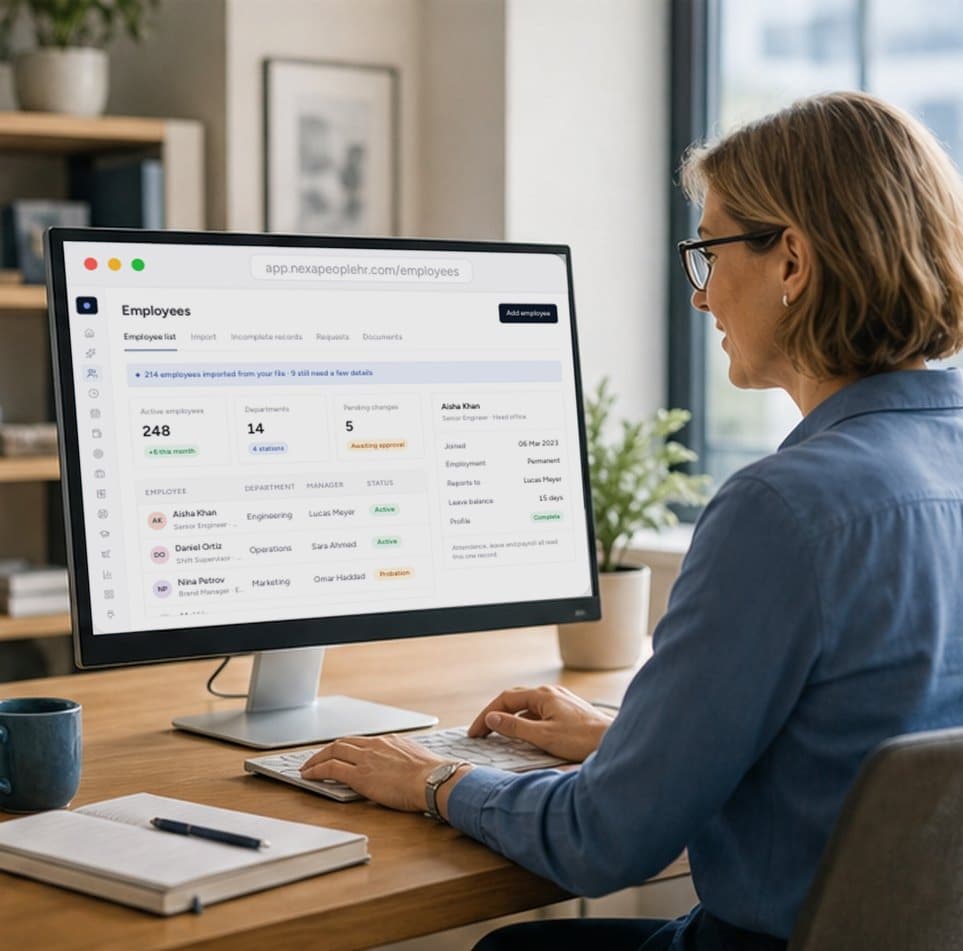
One record for every employee, kept accurate by approved changes and shared by every module.

From approved requisition to signed offer, with AI screening and interviews when you add Nexa Recruiter.

Configurable payroll that reads approved attendance, leave and overtime, and shows its working on every payslip.
Start free today
Make every new hire’s first day ready
One board for every task and document, owners and due dates for each, and new hires kept in the loop. Start free and plan your next new hire's first week.
- 01One board, all hires
- 02Documents verified
- 03Owners and due dates
Each new hire's tasks live on one onboarding board with an owner, due date and status. Owners move tasks from pending to in progress to done, and the new hire is notified at each step.
Yes. Keep a checklist register by department or role with the tasks and owners that always apply, and use it to set up each new hire's tasks.
Yes. Track ID, contract, certificate, bank, tax and your own document types, each moving from pending to submitted to verified.
Yes. Every task change sends the new hire an in-app notification, and an email too if outgoing email is configured.
Hiring in Nexa People and Nexa Recruiter leads straight into an employee record, so onboarding starts from the same data instead of re-typed details.