

Never miss a date that matters to your people
Nexa People checks every active employee each morning for birthdays, work anniversaries, probation and contract endings, and documents about to expire, and alerts the right person before it's too late.
- Runs every morning
- Documents before expiry
- Full alert log

Why it matters
The dates HR can't afford to forget
Birthdays, anniversaries, probation and contract ends, and expiring documents, caught every morning automatically. The right people are told in time to act, so a visa or a probation review never slips through.
Moments people remember
Birthdays and work anniversaries are flagged every day, so nobody's milestone slips by.
Decisions on time
Probation and contract endings show up seven days ahead, while there's still time to act.
Compliance without the chase
ID cards, passports and visas are flagged thirty days before they expire.
01Alert types
Five alerts that watch your people for you
Create an alert, pick its type and switch it on. Every morning Nexa People checks all active employees and fires the alerts that match, from a birthday today to a passport expiring next month.
- Birthdays and work anniversaries, with years served
- Probation and contract endings, seven days ahead
- ID card, passport and visa expiry, thirty days ahead
- Active or paused per alert, only active employees checked
Active
3 items
Work anniversary
Shows years served
Probation end
Within 7 days
Document expiry
ID, passport or visa within 30 days
02Every morning
Checked at six, logged every time
Alerts run automatically every day at 06:00, and you can run them on demand to see how many were checked and how many fired. Every run is written to the alert log, so you always know what went out and when.
- Automatic daily run at 06:00
- Run now, with a count of alerts checked and fired
- Alert log with type, date and status
- In-app notifications to the employee concerned
03Your rules
Set the channel, the quiet hours and the rest
Choose how alerts reach people, respect quiet hours, set each alert's frequency and recipients, and keep your own list of alert types, all from the module's settings.
- Default channel: email, SMS or in-app
- Respect quiet hours
- Daily, weekly or monthly frequency per alert
- Your own list of alert types
Switch on your first HR alerts.
Free for 24 hours
How it works
From setup to done, step by step
Set it up once with our team. After that, it runs every day on its own.
- 1
Create an alert
Name it and choose its type: birthday, anniversary, probation, contract or document expiry.
- 2
Switch it on
Set it active, and choose its frequency and recipients.
- 3
Checked every morning
At 06:00 Nexa People checks every active employee for matches.
- 4
People are told
Matched employees are notified and the run is written to the alert log.
Nexa AI
Ask Nexa what's coming up
Nexa reads the same employee dates the alerts use, so you can ask about anything coming up and act on it right away.
See how the Nexa agent works“Whose probation ends this month?”
3 people: Leo Martins (in 5 days), Sofia Rossi (in 12 days) and Adam Novak (in 26 days).
“Which visas expire in the next 60 days?”
2 visas: Omar Haddad in 21 days and Yusuf Rahman in 48 days. Links to both records are below.
“Any birthdays or anniversaries this week?”
Aisha Khan's birthday is today and Lucas Meyer marks 3 years on Thursday.
Everything included
Every detail of scheduled alerts, covered
- Birthdays
- Flagged on the day.
- Work anniversaries
- With the years of service.
- Probation endings
- Seven days ahead.
- Contract endings
- Seven days ahead.
- Document expiry
- ID card, passport and visa, thirty days ahead.
- Run now
- See how many alerts were checked and fired.
- Alert log
- Every alert sent, with type and date.
- In-app notifications
- Straight to the employee concerned.
- Channels
- Email, SMS or in-app as the default.
- Quiet hours
- Keep alerts out of off hours.
- Pause any alert
- Switch alerts off and on without deleting them.
- Licence-aware
- Runs only for organisations licensed for it.
One platform
Scheduled alerts isn't all Nexa People does
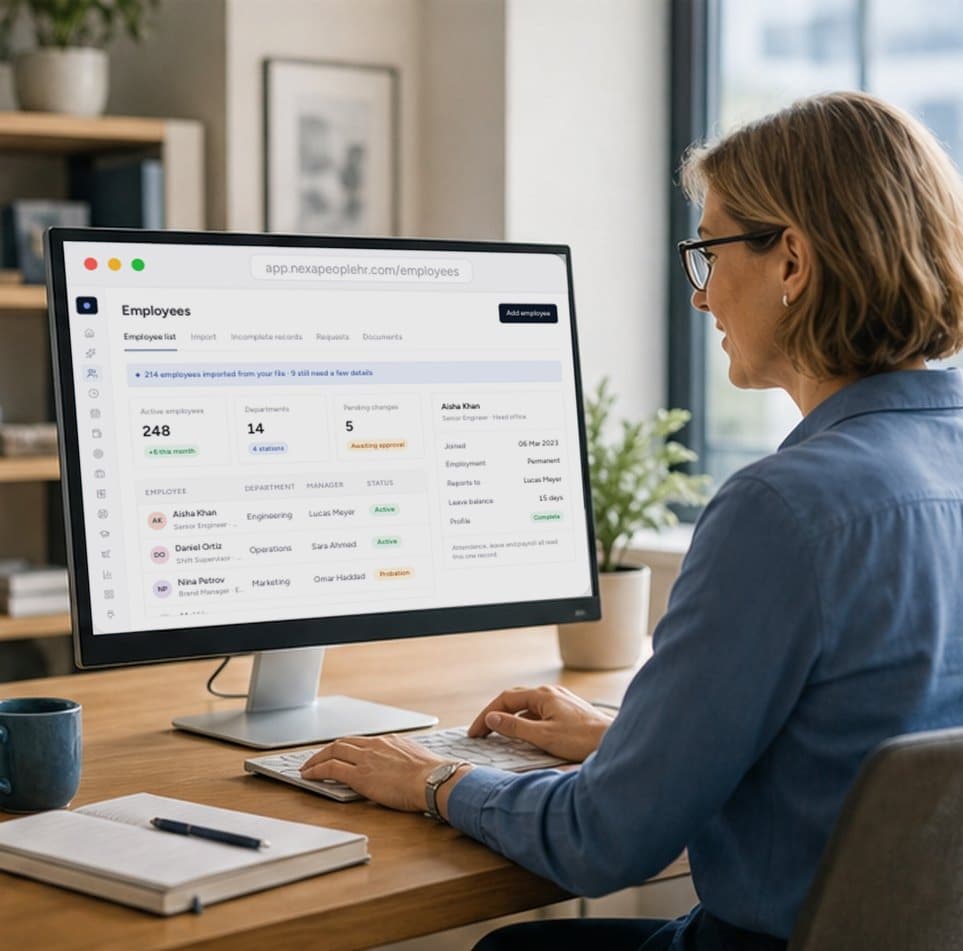
One record for every employee, kept accurate by approved changes and shared by every module.

One board for every new hire's tasks and documents, so nobody starts without a laptop, a login or a contract.

Any report, delivered by email on the schedule you set, with every run tracked and retried until it lands.
Start free today
Never miss a probation end or an expiring visa
Birthdays, anniversaries, probation and contract ends and document expiry, checked every morning automatically. Start free and switch on your first alerts.
- 01Checked every morning
- 02Documents before expiry
- 03Contract ends flagged
Birthdays, work anniversaries, probation endings, contract endings, and expiring ID cards, passports and visas.
Probation and contract endings are flagged seven days ahead, and document expiries thirty days ahead. Birthdays and anniversaries are flagged on the day.
Automatically every morning at 06:00. You can also run them at any time and see how many were checked and how many fired.
Matched employees are notified in the app, and you can set each alert's recipients, frequency and the default channel in settings.
Yes. Every run is written to the alert log with the alert, type, date and status.